Canva Create 2025 - What's New for Educators? - HoET261

Canva Create 2025 - What's New for Educators? - HoET261

Author: Christopher J. Nesi April 11, 2025 Duration: 54:31

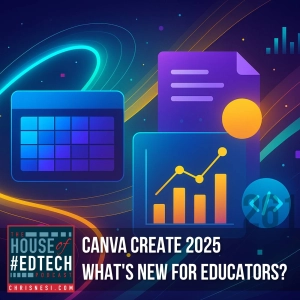
In this exciting crossover episode, Chris Nesi teams up with Leena Marie Saleh (The EdTech Guru) for a detailed look into Canva's latest educational innovations unveiled during Canva Create 2025. Whether you're a teacher, instructional coach, or tech integrator, this episode is packed with transformative features and real classroom applications.

Featured Topic: Canva Create 2025

Key Themes and Highlights:

Canva Sheets: The Spreadsheet Reimagined
  • A powerful new addition to the Canva suite—Canva Sheets brings AI-infused, visually pleasing spreadsheets to the classroom.

  • Bulk Background Remover: Easily remove backgrounds from dozens of student photos at once.

  • Bulk Create with Images: Mass-produce certificates, report cards, or newsletters by integrating images directly into your sheet.

  • Magic AI Prompts: Skip the formulas—just describe your needs and let AI do the rest (e.g., calculating budgets, charting grades).

  • Magic Insights: Auto-generate graphs, summaries, or positive student comments—great for data storytelling or end-of-year celebrations.

  • Student Access: Available to students in districts where Canva's Magic tools are enabled.


The All-in-One Visual Suite
  • Create multi-modal projects within a single file: combine slides, spreadsheets, videos, documents, and websites.

  • Use Case: Teachers can build unit plans with rubrics, grading sheets, lesson videos, and linked resources—all in one shareable design.

  • Student Application: Portfolios that blend writing, multimedia, assessments, and visual elements in a single file.


Canva Code
  • No coding experience needed! Generate interactive HTML-based tools like:

    • Flashcard games

    • Vocabulary matching activities

    • Countdown timers


  • Use Cases:

    • Do-Nows & Exit Tickets

    • Interactive experiences (e.g., virtual art exhibits)


  • Includes real-time code editing via voice or chat and seamless integration into other Canva designs.


Voiceover and Text-to-Speech Enhancements
  • Record true voiceovers directly in Canva—no more video workarounds.

  • Use AI-generated voices to read text aloud in different accents and languages (e.g., Spanish voice packs Alejandra and Sofia).

  • Ideal for student presentations, podcasts, and accessibility support.


AI-Powered Speaker Notes
  • Auto-generate speaking points from your presentation slides.

  • Great for prepping lessons, webinars, or class presentations on the fly.


Assignments Hub
  • Instantly generate quizzes from highlighted text in a lesson or document.

  • New classwork dashboard allows for real-time monitoring of student progress (especially for educators without an LMS like Google Classroom).


Scrollables (a.k.a. Scrollytelling)
  • Create animated, interactive timelines or diagrams that engage students through scroll-triggered movement and transitions.

  • 🎯 Example: A digestive system walkthrough or a historical timeline using scroll-based animations.


Additional Features Mentioned
  • Superscript & Subscript support (finally!)

  • Rich text highlighting in Docs

  • Caption animations

  • Volume balancing for videos

  • Banner placement across all pages

  • Enhanced collaboration (up to 50 collaborators per design)


In the ever-evolving landscape of classrooms and digital tools, House of #EdTech serves as a grounded conversation about what actually works. Hosted by educator Christopher J. Nesi, this podcast moves beyond simple tool reviews to examine the practical integration of technology with effective teaching strategies. Each episode feels like a collegial chat, where Chris and his guests-often fellow teachers and innovators-break down the latest trends, dissect new platforms, and share honest reflections on their successes and setbacks in real educational settings. The focus is squarely on actionable ideas that can enhance instruction, streamline workflow, and ultimately support student learning. It’s a resource built for the daily realities of teaching, whether you’re looking to refine a single technique or reimagine your approach to edtech. The discussions are rooted in experience, making complex topics accessible and immediately relevant. You’ll find a consistent emphasis on the human element behind the screens, exploring how technology can foster connection and creativity rather than replace it. Tune in for a thoughtful, no-nonsense take on navigating the intersection of education and modern tools. This is a podcast dedicated to the practitioners in the field, offering a blend of inspiration and practical how-to guidance that acknowledges both the potential and the pitfalls of bringing tech into learning spaces.
Author: Language: English Episodes: 50

House of #EdTech
Podcast Episodes
Leveling Up Learning: Gamification in Education - HoET259 [not-audio_url] [/not-audio_url]

Duration: 30:49
In this episode of House of #EdTech, I discuss the what, why, and how of gamification in education! By incorporating game design elements into your teaching, you can boost student motivation, engagement, and learning out…
AI-Driven Personalized Learning: The Future of Education - HoET258 [not-audio_url] [/not-audio_url]

Duration: 49:45
In this episode of House of #EdTech, we take a deep dive into the world of AI-driven personalized learning. From how AI adapts to individual student needs to address concerns about environmental impact and ethical use, I…
2024 House of #EdTech Smackdown - HoET257 [not-audio_url] [/not-audio_url]

Duration: 56:20
Welcome to the House of #EdTech! In this special episode, I celebrate the 11th annual #EdTech Smackdown. Prepare for a jam-packed showcase of the best edtech tips, tools, and insights from incredible educators in our com…
Chapter 9: Conclusions, Recaps, and Next Steps - HoET256 [not-audio_url] [/not-audio_url]

Duration: 25:16
I wrap up the podcasting journey outlined in my book with a comprehensive recap of the essential steps to launch, grow, and sustain your podcast. Whether you're a seasoned podcaster or just starting out, this episode is…
Chapter 8: Troubleshooting Common Podcasting Challenges - HoET255 [not-audio_url] [/not-audio_url]

Duration: 30:04
I discuss the most common challenges podcasters face and how to troubleshoot them effectively. Whether you're a seasoned podcaster or just starting out, mastering these solutions can elevate your podcasting game and ensu…
Chapter 6: Monetizing Your Podcast - HoET253 [not-audio_url] [/not-audio_url]

Duration: 33:30
In today's episode, we dive into Chapter 6 of I Like to Podcast and You Will Too!—all about monetizing your podcast. We'll explore the essential steps for transforming your passion project into a profitable venture. From…
Chapter 4: Recording and Editing Your Podcast - HoET251 [not-audio_url] [/not-audio_url]

Duration: 32:36
In this episode, we're diving into the essentials of recording and editing a podcast -- Chapter 4 of my book --to help you produce high-quality episodes that captivate your audience. Whether you're new to podcasting or l…
Chapter 3: Planning and Preparing for Your Podcast - HoET250 [not-audio_url] [/not-audio_url]

Duration: 31:12
In this milestone episode, we dive into Chapter 3 of my book, which focuses on the essential steps for planning and preparing your podcast. Whether you're just starting or looking to refine your existing show, this episo…