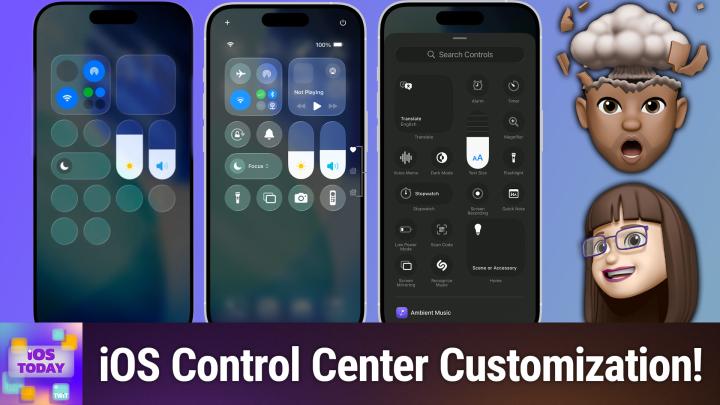
iOS 799: Managing Control Center - Tweaks That'll Save You Time Every Day

iOS 799: Managing Control Center - Tweaks That'll Save You Time Every Day

Author: TWiT April 23, 2026 Duration: 39:13

Discover the secret strengths and customization tricks hidden in iOS Control Center, from forgotten Apple tools to creative ways to streamline your day. Mikah Sargent and Rosemary Orchard reveal the Control Center features most users overlook.

  • Customizing and optimizing the iOS Control Center experience
  • How to edit, rearrange, and size Control Center controls
  • Adding app shortcuts and advanced tools to Control Center
  • Managing secondary Control Center pages for deeper functionality
  • Lock screen Control Center access settings and security considerations
  • Swapping torch and camera for other controls on the lock screen
  • News: Tim Cook steps down, John Ternus named incoming CEO
  • App Caps: Frame for stylish screenshots; Visual Lookup in Photos for identification

Hosts: Mikah Sargent and Rosemary Orchard

Contact iOS Today at iOSToday@twit.tv.

Download or subscribe to iOS Today at https://twit.tv/shows/ios-today

Join Club TWiT for Ad-Free Podcasts!
Support what you love and get ad-free audio and video feeds, a members-only Discord, and exclusive content. Join today: https://twit.tv/clubtwit

Club TWiT members can discuss this episode and leave feedback in the Club TWiT Discord.


Rosemary Orchard and Mikah Sargent guide you through the ever-evolving world of Apple's mobile ecosystem on iOS Today. This TWiT production goes beyond just headlines, offering a practical and conversational deep dive into the devices and software that shape daily digital life. Each episode feels like a helpful discussion with knowledgeable friends, breaking down complex updates into actionable advice. You'll hear detailed app reviews that separate the truly useful from the merely trendy, alongside clever tips that can unlock new potential from your iPhone, iPad, Apple Watch, or Apple TV. The conversation also covers essential news, accessory recommendations, and strategies for streamlining tasks with shortcuts. A key part of the podcast's dynamic is listener interaction; questions submitted by the audience often fuel entire segments, making the content directly relevant to real-world problems and curiosities. Whether you're a longtime Apple user or just getting started with your first device, the focus here is on making technology work smarter for you, without the jargon. Tune in for a consistently informative and approachable look at how to get the most out of the tools in your pocket and on your desk.
Author: Language: en-us Episodes: 14

iOS Today (Video)
Podcast Episodes